THE BRAINSTEM ATLAS 4
Sections
- For background and navigation information about the atlas: ATLAS.
- The best way to become familiar with the unusual features of this atlas is just to wander your way through it, clicking on whatever captures your interest. If you find it helpful, then come back to this page and read more about the details.
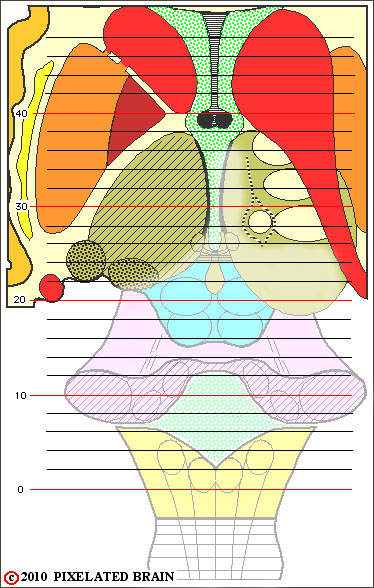
- So, study the grid on the dorsal view of the brainstem and select a slide level that is of interest to you. For example, slide 20 seems to go right through the superior colliculus, so go to the table on the far left and click on "20". Once that view comes up, it will give you an idea of the information provided by the atlas. High, on the left side, is a low mag view, relating the brainstem to the structures of the overlying cerebral hemisphere. Below that view is a higher mag one of the same section that focuses on brainstem structures. On the right are three drawings, showing the plane of section of the slide.
- If you want to look at the section just "in front of" this one, click on the "1" next to "ROSTRAL" in the upper left corner of the green box. If you'd like to take bigger steps through the slide series, click away on the rostral (or caudal) "2" button.
- Sooner or later, you will want to "get out" of your exploration. The easy way is to click on the PIXBRAIN HOME link, present somewhere on the page you are viewing.
